What Is ERP? A Plain-English Guide for Business
What is ERP? Learn what enterprise resource planning software does, which modules matter, what implementation involves, and when a small business needs one.
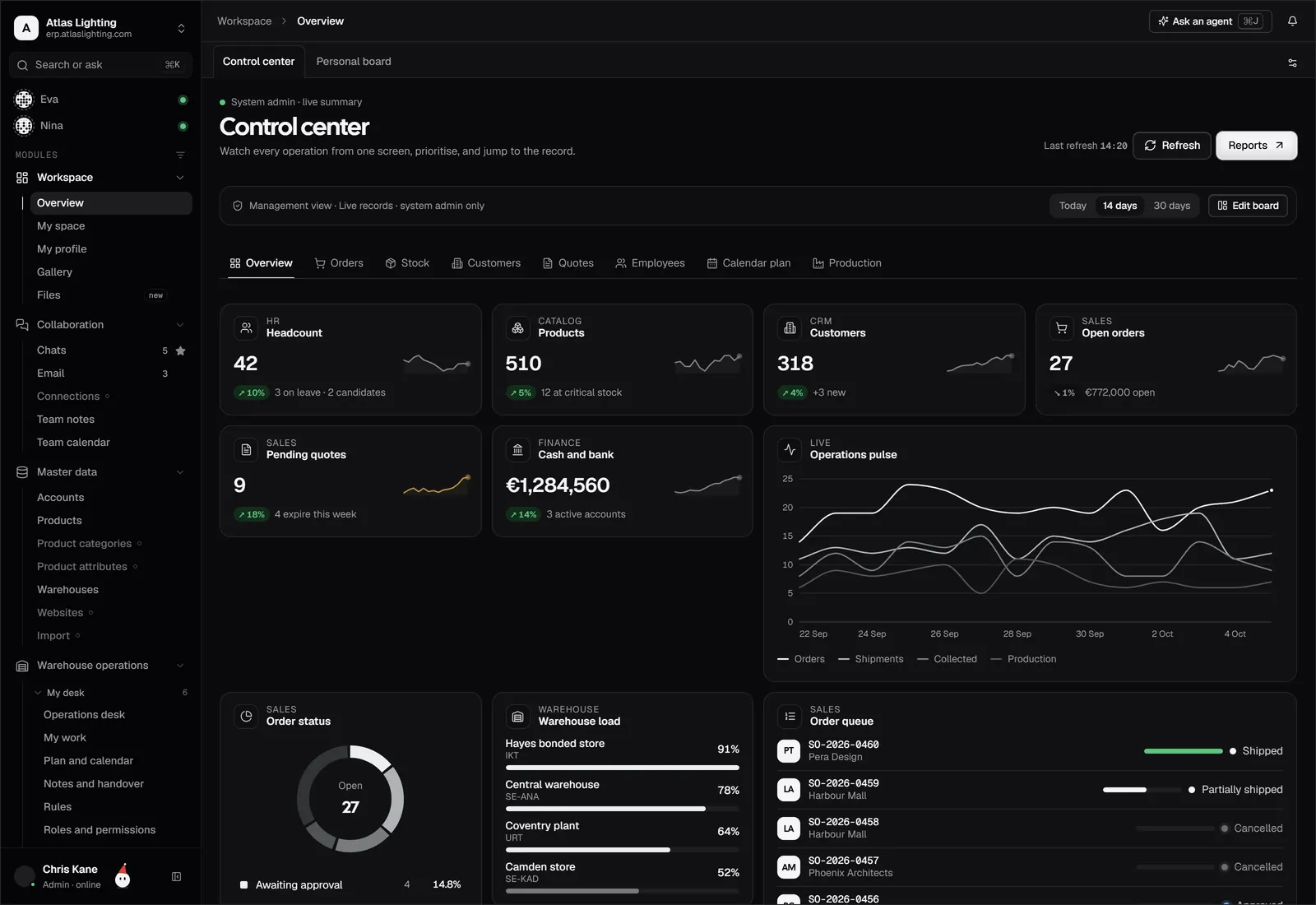
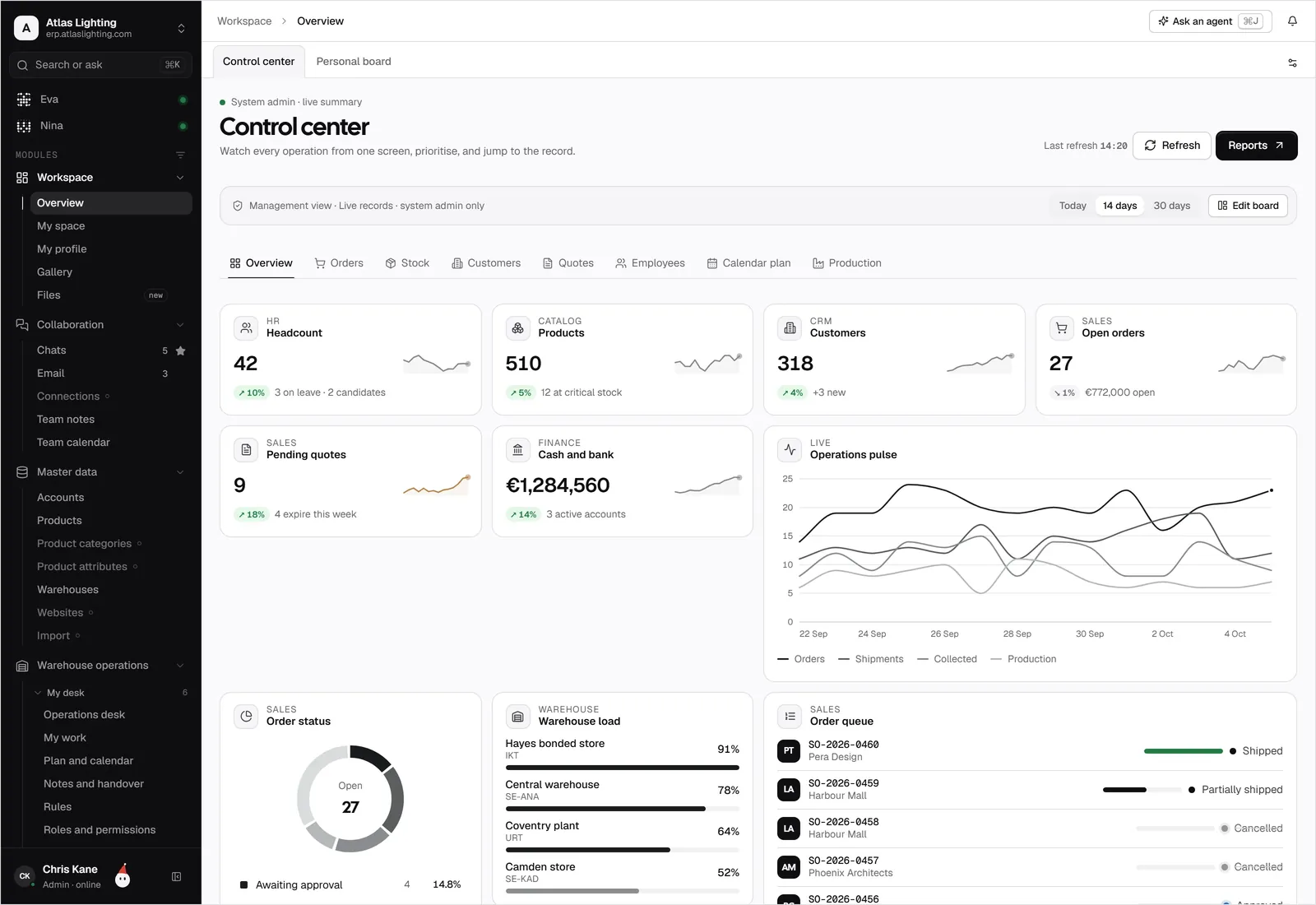
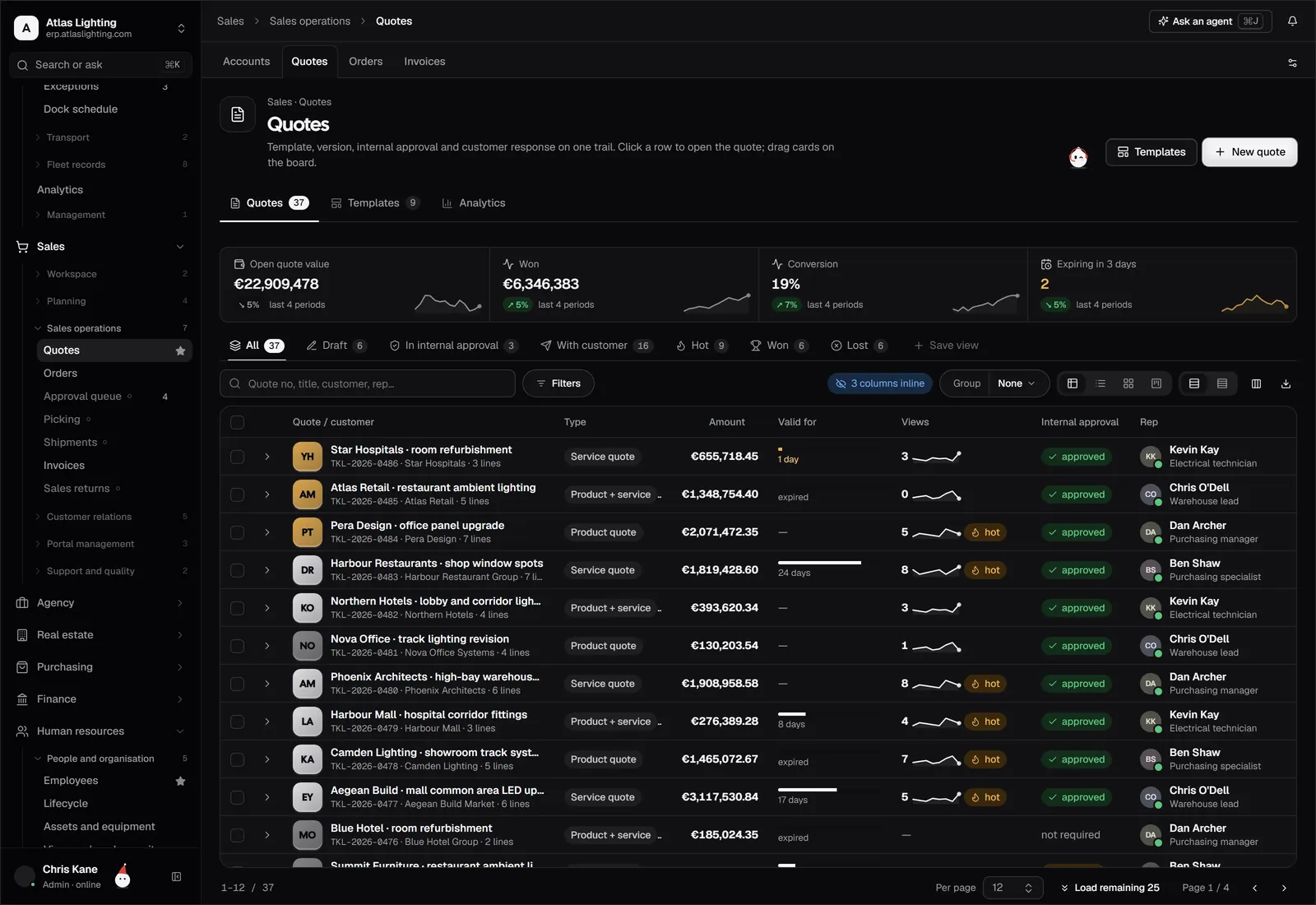
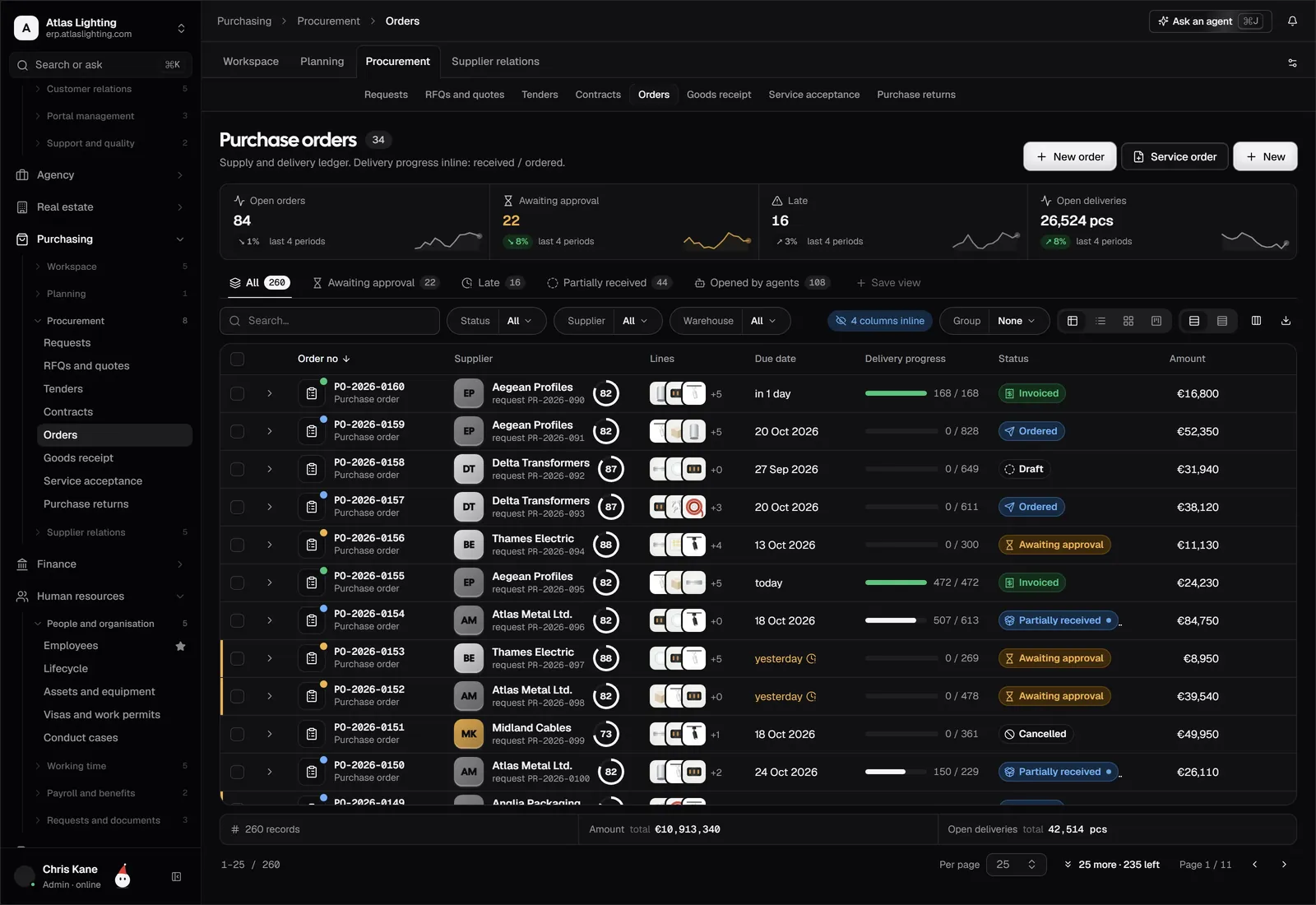
ERP stands for enterprise resource planning. It is a single piece of business software that runs the core of your company (sales, purchasing, stock, production, finance and people) on one shared set of records, so everyone works from the same numbers instead of their own spreadsheets.
If that sounds abstract, here is the practical version: when a customer order comes in, an ERP checks stock, reserves it, tells purchasing what to buy if there is a shortfall, raises the invoice and updates your cash position. Nobody retypes anything.
What does an ERP system actually do?
Most businesses start with a handful of disconnected tools: a spreadsheet for stock, an accounting package, a CRM, a shared inbox, perhaps a payroll bureau. Each holds part of the truth. An ERP replaces the gaps between those tools with one database and one set of rules.
The key idea is the single source of truth. A product has one record, a customer has one record, and every document (quote, order, delivery note, invoice) points back to them. Change a price or an address once and it is right everywhere.
This also changes how a business is managed. When sales, stock and finance share data, a manager can ask a question such as “what are we committed to buy this month, and what will we collect?” and get an answer in minutes rather than after a day of chasing colleagues.
The core modules of an ERP
Different vendors group things differently, but most ERP systems cover the same ground.
| Area | What it handles |
|---|---|
| Sales and CRM | Leads, quotes, orders, customer history |
| Purchasing | Supplier orders, quotes, goods received |
| Inventory and warehouse | Stock levels, locations, movements |
| Manufacturing | Bills of materials, work orders, planning |
| Finance and accounting | Invoices, payments, ledgers, reporting |
| HR and payroll | Employee records, leave, payroll inputs |
| Projects and service | Time, jobs, support tickets |
| Reporting | Dashboards across all of the above |
You rarely need every module on day one. A distributor might start with sales, purchasing, inventory and finance, and add the rest later. Dika Ops, for example, is organised as modules you can adopt as you need them.
How is ERP different from accounting software?
Accounting software records what has already happened: invoices sent, bills paid, money in the bank. An ERP covers what is about to happen as well: the order you have just taken, the stock you are about to run out of, the purchase order that needs approving.
That is why many growing companies outgrow an accounting package on its own. The accounts are fine; the trouble is everything feeding them, which lives in spreadsheets and inboxes. If you recognise that pattern, see our guide to moving from spreadsheets to an ERP.
Signs your business needs an ERP
You do not need an ERP because you have reached a certain headcount. You need one when the cost of disconnected data starts to show. Common signs:
- You retype the same order into two or three systems.
- Nobody is sure what is really in stock until someone walks the warehouse.
- Month-end close takes days because numbers must be reconciled by hand.
- You quote prices without knowing current supplier costs.
- One person holds a critical spreadsheet and nobody else understands it.
- Customers ask for order status and you have to call round to find out.
If two or three of these sound familiar, an ERP is worth evaluating.
Cloud ERP versus on-premise ERP
Older ERP systems were installed on your own servers. Most newer ones, including small-business options, are delivered as cloud software that you access through a browser. Cloud ERP usually means lower upfront cost, faster setup and no servers to maintain, at the price of depending on the vendor and your internet connection.
For a small or mid-size company with no dedicated IT team, cloud is normally the sensible default. Ask any vendor where your data is held, how backups work and how you can export your data if you leave.
What does ERP implementation involve?
The software is the easy part. The real work is on your side:
- Map your processes. Write down how an order travels today, from enquiry to cash.
- Clean your data. Duplicate customers, inconsistent product codes and stale suppliers will follow you into the new system if you let them.
- Start small. Go live with a few modules, learn, then expand.
- Train the team. People adopt systems that make their day easier, so involve them early.
- Run in parallel briefly. Check the new system against the old before you retire it.
Plan on weeks to months rather than days, depending on how many modules and how tidy your data is. Be wary of anyone promising instant results.
Where AI fits into modern ERP
Newer ERP systems are adding AI to take on routine back-office work: drafting purchase orders, chasing late payments, matching invoices to receipts. The sensible model keeps a person in charge of anything important. Dika Ops takes this approach with AI coworkers, which work within strict permissions and ask a person to approve anything significant before it happens.
How to evaluate an ERP
Before you speak to vendors, write a short list of your own requirements. Then ask each one:
- Which of my must-have processes work out of the box, and which need customisation?
- How are permissions handled, so staff only see what they should?
- What happens to my data if I leave?
- Who supports us after go-live, and how?
- What is the total cost, including setup, training and any per-user fees?
Insist on seeing your own scenario demonstrated, not a generic demo.
FAQ
What does ERP stand for?
Enterprise resource planning. The name comes from the idea of planning and managing a company’s resources (money, stock, people, equipment) in one place.
Is ERP only for large companies?
No. Early ERP systems were built for large enterprises, but today many are designed for small and mid-size businesses, particularly those that make, move or sell physical goods.
How long does it take to implement an ERP?
It depends on scope and data quality. A focused rollout of a few modules can take weeks; a full multi-department rollout can take several months. Starting small shortens the path to value.
Can an ERP replace my accounting software?
Many ERP systems include accounting, so you can use one system for both. Some businesses keep their existing accounting package and connect it to the ERP instead. Check what your accountant is comfortable with before deciding.
Next step
Understanding what ERP is takes ten minutes; choosing well takes a little more care. Dika Ops is an AI-native ERP for small and mid-size companies that make, move and sell things, currently in closed beta. You can join the waitlist to see whether it fits your business.